



Log In

Don't have an account?Sign Up
Thank you! Your submission has been received!
Oops! Something went wrong while submitting the form.
Switch Profile
Switch or create a new profile
Add tool
Member
Sign in
Add agency
Member
Sign in
Sign in

No dashboards. No digging. No delays.

Klaviyo app in ChatGPT Guide

Real insights on customers, delivered instantly, in the platform where you already think, plan, and create. Analyze your Klaviyo data directly inside ChatGPT.

<a href="https://klaviyo.sjv.io/gRPZOr" target="_blank" rel="sponsored noopener noreferrer"> <img src="https://cdn.prod.website-files.com/60009eef85482eb18e856cb5/698f6b6f4aa0f0ea5a914f61_Klaviyo_ChatGPT_Mobile.webp" alt="Introducing Klaviyo App for ChatGPT" width="1296" height="260" style="max-width: 100%; height: auto; display: block; border: 1px solid #eee;"> </a>
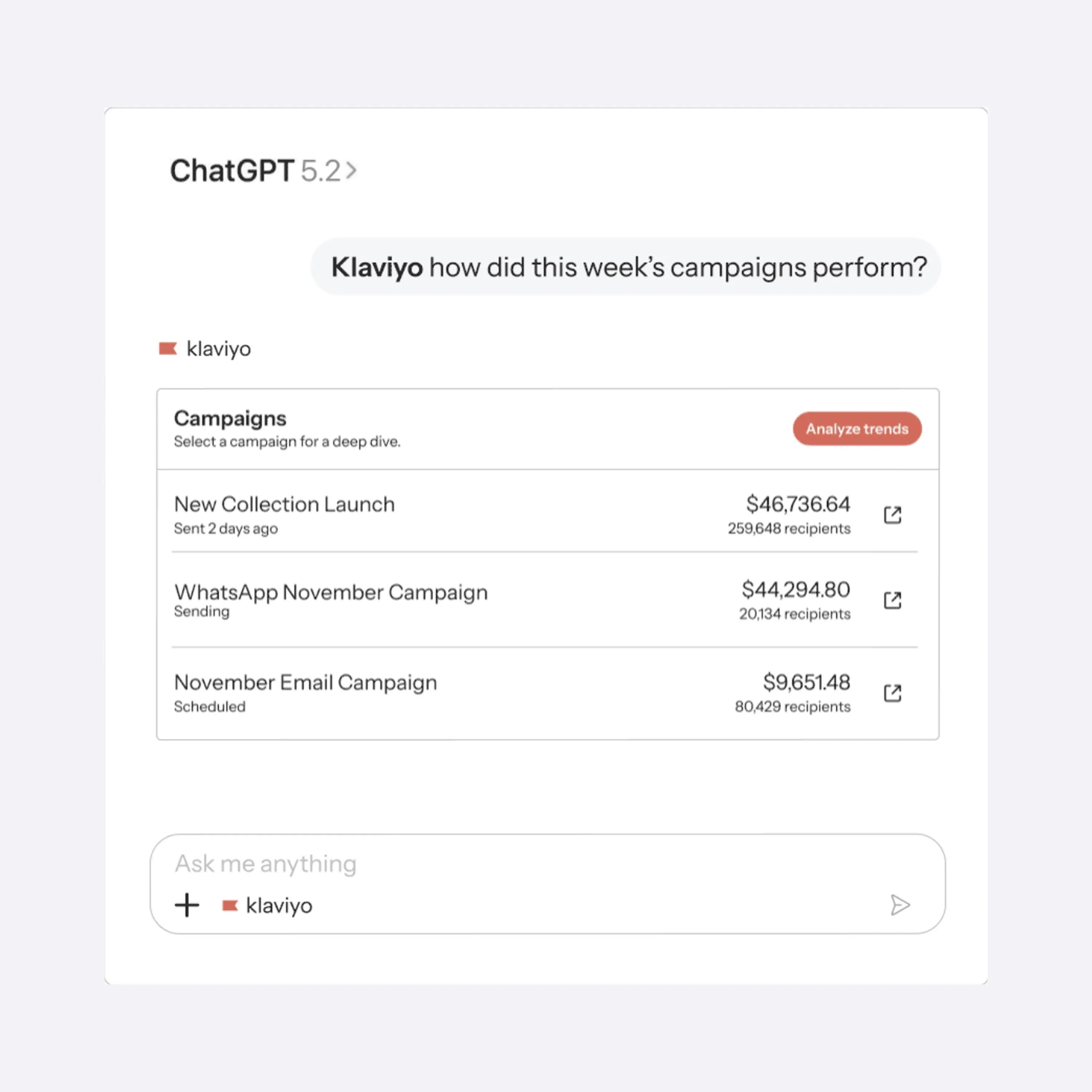
Graphic of Klaviyo performance review in ChatGPT

Next Interface of Marketing with Klaviyo App for ChatGPT

Klaviyo announced its integration with ChatGPT in January of 2026. After connecting your account, you can use the Klaviyo app for ChatGPT to get insight without opening the Klaviyo dashboard.

With this release, users of Klaviyo are able to:

  • Ask simple plain-language questions about their campaign performance
  • Get insight with real-time campaign performance tables (sends, opens, clicks, conversion rate, attributed revenue)
  • Analyze flow performance, including step-by-step performance, drop-offs, and revenue trends
  • Click Analyze to get deeper insights and recommended next steps
  • Ask typical follow-up questions like “What should I do next?” to get guided optimization suggestions through simple conversation

The Klaviyo app for ChatGPT was built for the way marketers are already using AI, closing the conversational gap. It's designed to make Klaviyo data accessible and actionable wherever marketers prefer to work.


Real-time campaign and flow performance in ChatGPT

Ask ChatGPT how your campaigns or flows are performing
“How are my campaigns performing this week?” or “Show me flow performance from the last week”
Instead of navigating multiple dashboards, see insights and analysis in one click
Deep-dive analysis of KPIs and micro-insights with clarity in a single thread
After reviewing a campaign or flow, receive guided next steps in ChatGPT
“Klaviyo, what's the best next step?” to move you from insight into instant follow-up recommendations

How to use the Klaviyo app for ChatGPT

To use the Klaviyo app for ChatGPT, you'll need a ChatGPT interface that supports Apps. If you do not see the Apps section in ChatGPT, your interface may not support it yet.
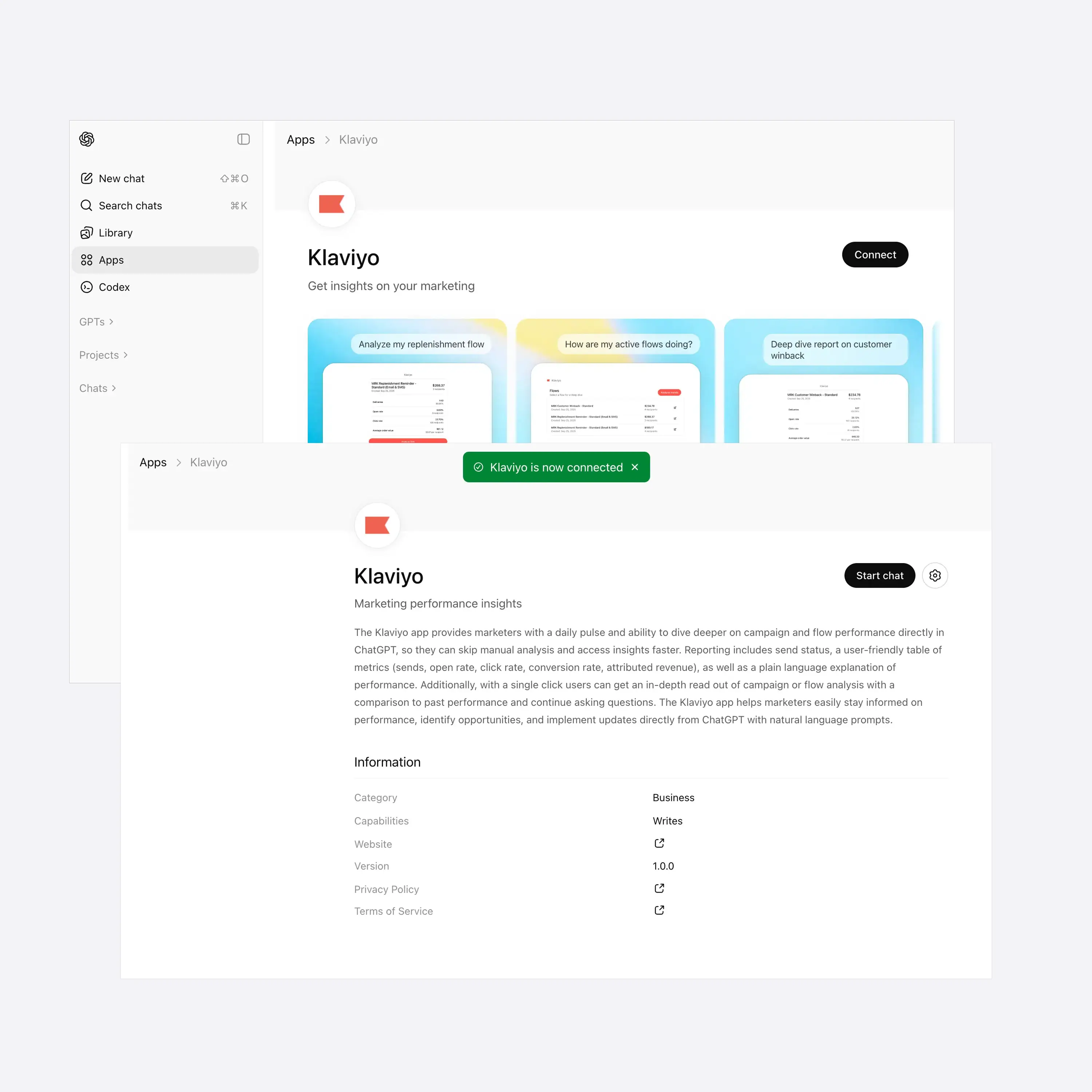
Connect Klaviyo to ChatGPT

  1. Open the ChatGPT interface where Apps are supported
  2. Browse available apps and select Klaviyo
  3. When prompted, sign in to your Klaviyo account and approve the request

Access Klaviyo in ChatGPT

  1. The Klaviyo app appears in your ChatGPT sidebar
  2. Simply "call" Klaviyo at any time by typing "Klaviyo" in the prompt

Helpful Tips for Klaviyo in ChatGPT

  1. Use clear prompts as a best practice to generate the most reliable insights
  2. Always validate key metrics in Klaviyo before making important decisions

👉 See How to use the Klaviyo app for ChatGPT - or -

Graphics displaying how to add Klaviyo to ChatGPT